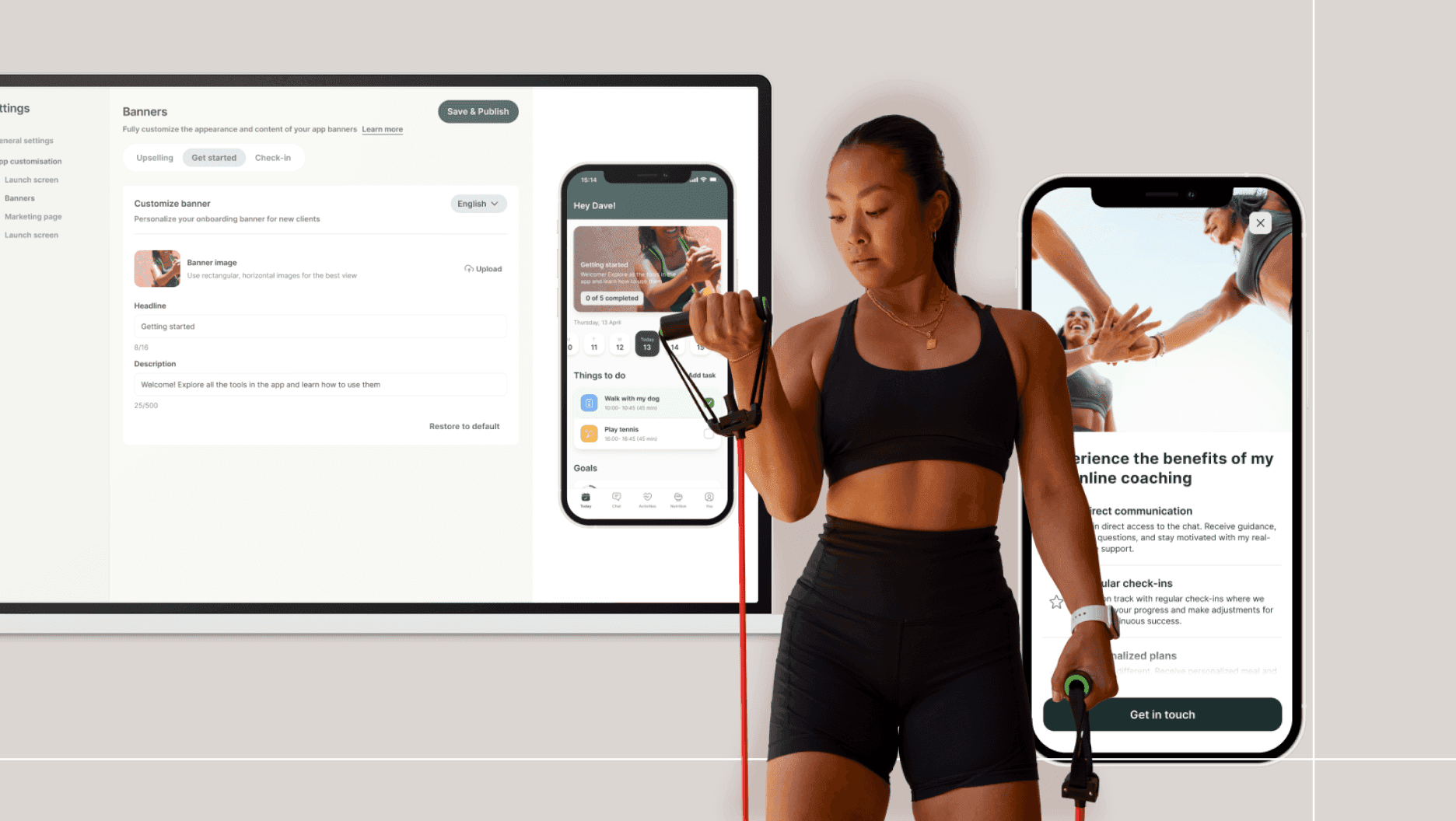
Lenus eHealth · Mobile · New Feature
Mobile Lead Management for Coaches
This project aimed to extend the existing dashboard by creating a mobile-friendly experience for coaches to manage their leads on the go.
- Company
- Lenus eHealth
- Role
- Product designer
- Duration
- 3 months (with development time)
- Team
- Marta (Product designer)
- Khaliun B (PM)
- Sarah P (Tech lead)
- 3 developers
Some details are abstracted under NDA.
Business Goals
Lead Conversion
24%
Increase in lead conversion rates
App Engagement
40%
Increase in coaches's app engagement
Response Time
35%
Reduction in lead response time
01Overview
Lenus eHealth is a digital health platform that empowers fitness trainers and health professionals to deliver personalized coaching through an all-in-one solution.
The key goal was to enable coaches to interact with new leads faster, by providing them features for mobile devices.
02Problem Statement
Coaches were struggling to stay on top of new leads and sales opportunities when away from their desks.
User Needs
- 01The existing dashboard provided lead management capabilities, but the experience was optimized for desktop use, making it impossible to use on mobile.
- 02Coaches required a way to manage the entire lead workflow, from initial contact to successful client conversion, all while on the go.
Process
Here is how I designed it:
03Research
The design process began with an analysis of the inbound sales data, which revealed that lead contact time could be impacted by up to 10%.
I conducted qualitative interviews with coaches, which highlighted a strong desire for a better lead management tool that could be accessed on the go.
“2 main pain points: 1. Leads are not responding 2. Price for product”
Pain PointNick, GB
“Short way to open Instagram page (e.g. copy paste nickname)”
ImprovementNick, GB
“Tags for large teams collaboration”
New FeatureNick, GB
“Working with 'old' leads complicated if you out of office”
Pain PointKate, Germany
“Add 'contact later' status”
ImprovementKate, Germany
“Notifications for new leads”
New FeatureKate, Germany
“Add 'contact later' status”
ImprovementKate, Germany
“Notifications for new leads”
New FeatureKate, Germany
“Lead can appear any time so I need keep laptop with me always”
Pain PointSarah, US
“Ability to open lead's Instagram if there is nickname”
ImprovementSarah, US
“Filtering leads by goals”
New FeatureSarah, US
“Average leads/day: around 3-5”
Pain PointNick, GB
“WhatsApp CTA for Germany audience”
ImprovementKate, Germany
“Plan actions regarding leads”
New FeatureNick, GB
“Average leads/day: around 1-4”
Pain PointKate, Germany
“Ability to copy number”
ImprovementNick, GB
“Multi-selection + bulk messaging”
New FeatureKate, Germany
“Average leads/day: around 0-5”
Pain PointSarah, US
“Filter leads by 'lost' reason”
ImprovementSarah, US
“Open client page after new client created”
New FeatureSarah, US
“WhatsApp is part of the flow for European market”
Pain PointKate, Germany
“Change lead status automatically”
ImprovementKate, Germany
“Receive lead updates”
New FeatureNick, GB
“Check new leads when you don't have laptop with you”
Pain PointNick, GB
“Switch between accounts easily”
ImprovementNick, GB
“Reminders for certain leads”
New FeatureKate, Germany
“Lead history with description of who did action”
ImprovementSarah, US
“Lead overview and statistics in mobile”
New FeatureSarah, US
“Client goals, motivations, life obstacles info”
New FeatureNick, GB
Interview Insights
Next, I performed a feature audit of the existing Lenus dashboard's lead management capabilities. Based on it together with interview insights, I built a task flow that mapped out the key user journeys for managing leads. To make sure this flow aligned with sales best practices, I reviewed it with the sales department and incorporated their feedback.
Task: Contact with lead to offer training program
Receive new lead notification
Create lead manually
Open the list of leads
Open single lead page
Contact with lead (sms, call or email)
Update lead status (tags, status, comments)
Send offer
Check payment status
Swipe to see all steps →
04Ideation & Validation
With the task flow in place, I began creating wireframes and testing them with coaches.
This allowed me to validate that the proposed functionality covered their main users needs. In parallel, I assessed the current mobile navigation to determine the best way to integrate the new lead management feature while maintaining consistency.
Design Iterations
05Design & Iteration
After gathering feedback from the initial wireframe testing, together with the team we created a user story map and agreed on the product MVP.
At this stage, it was crucial to receive technical feedback and align mission expectations with stakeholders. Then I used this as a foundation to create high-fidelity designs, carefully leveraging the existing mobile Design System and defined patterns.
high level tasks users can do within your product
Receive notifications regarding leads
Manage leads from app
what users go through to complete the activities above
Receive push notifications
Views leads screen
Views leads and their information
Edit leads information
Contact with leads
Sends offer
Views lead page with updated info
Confirm new lead status
the nitty gritty interactions, we need to build
New lead notification
Can navigate to leads screen
Preview lead info and status
Filtering leads by statuses
"All" selected by default
Can see general information
Lead note
Sales note
actions: change state, create offer, edit lead
Edit name, email, number
Change state
call
sms
copy email & number
Fill subscription details
Fill payment info
Edit offer description
Preview offer
Send offer
Sees change in lead status
Sees offer overview
Sees if lead accepted offer
Change lead status
Filtering by tags
Edit tags
Edit tags
"WON" lead notification
Instagram link
Add additional payment settings
Archive lead
06Final Design

Leads Overview
Final App Experience
This feature allowed coaches to:
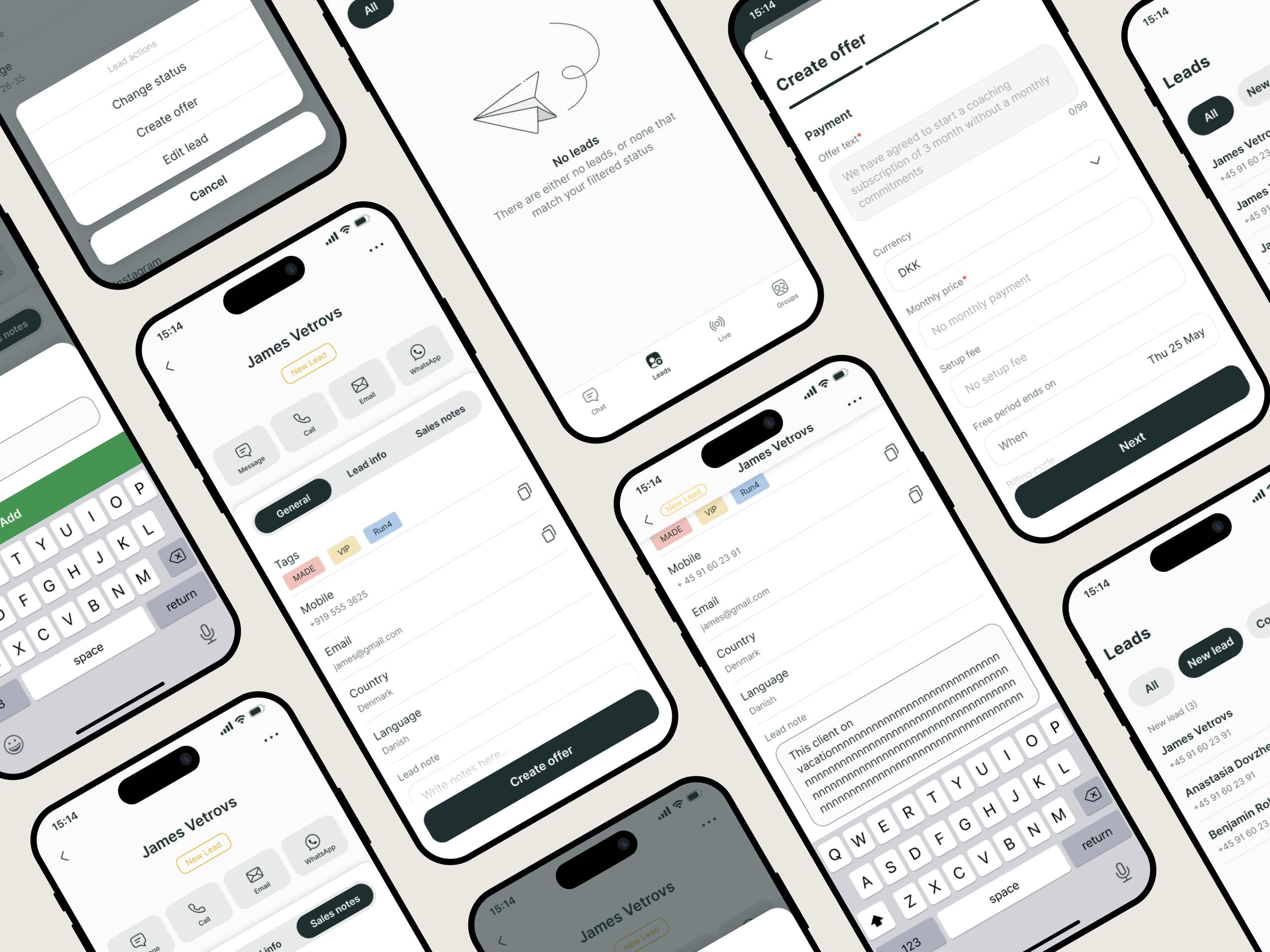
- 01Notice new leads by receiving push notifications
- 02Conveniently navigate the leads list
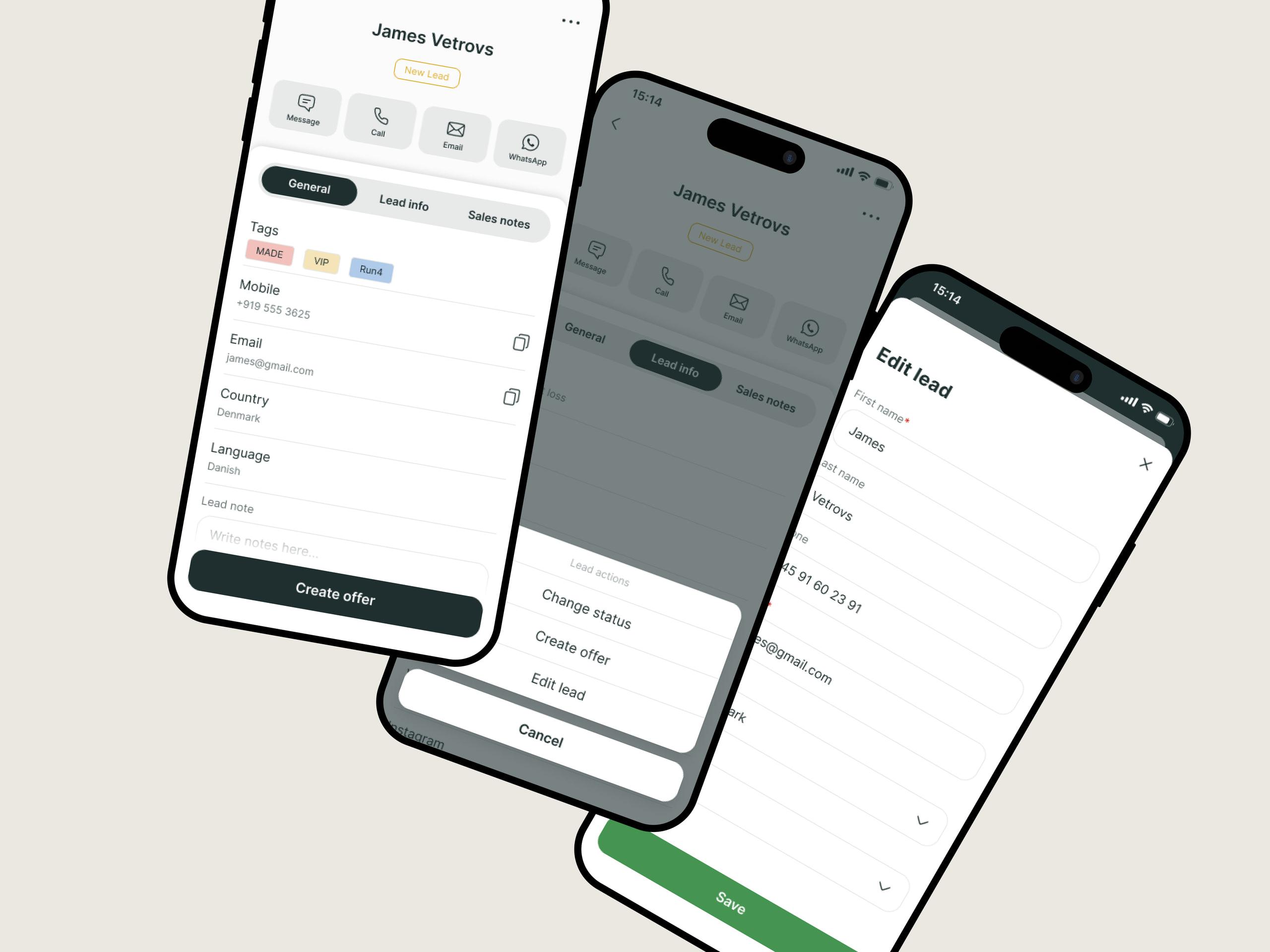
- 03Quickly call, text, or email a specific lead
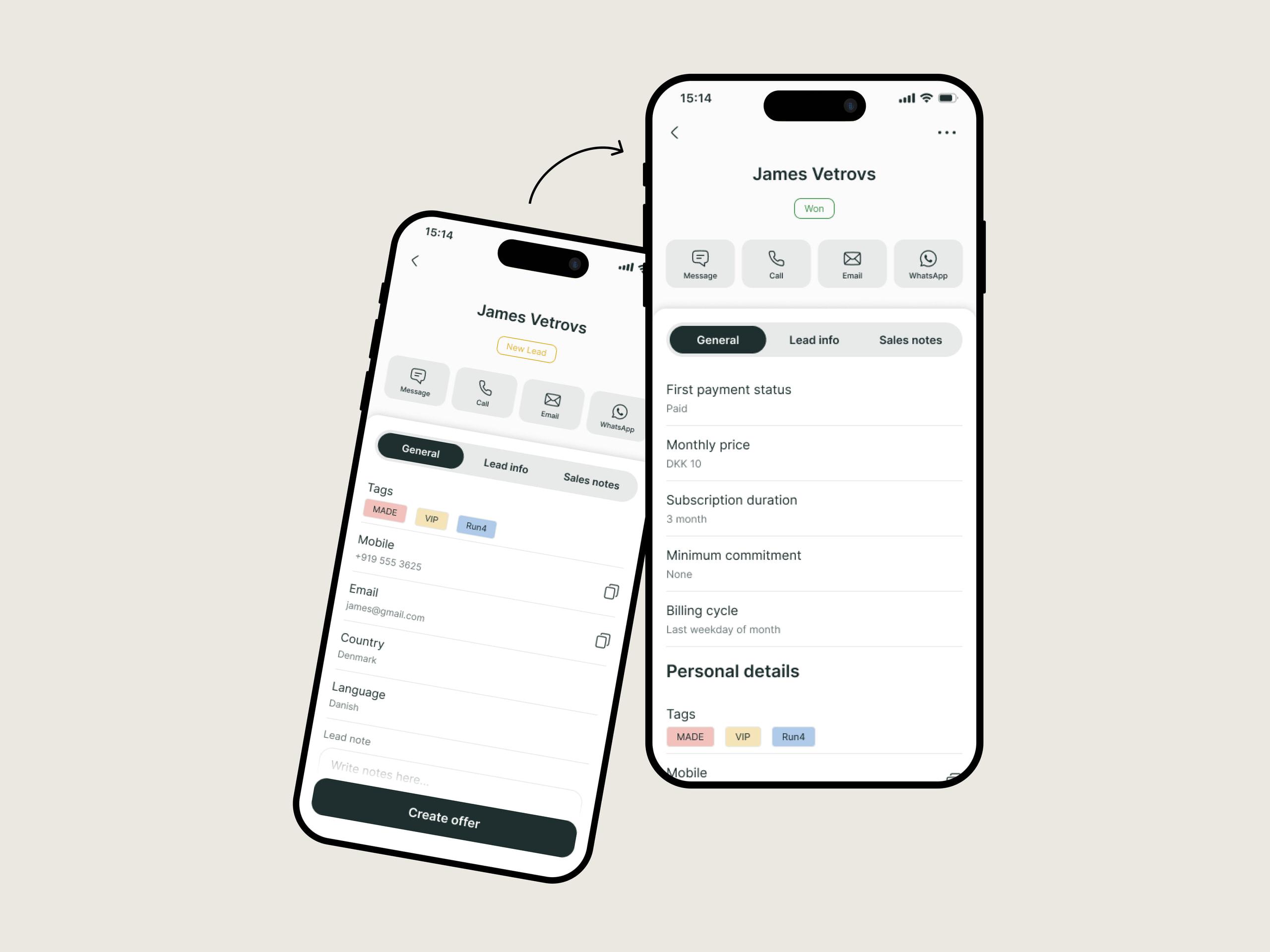
- 04Open a detailed lead page to view all information, update status, send offers and even see payment updates
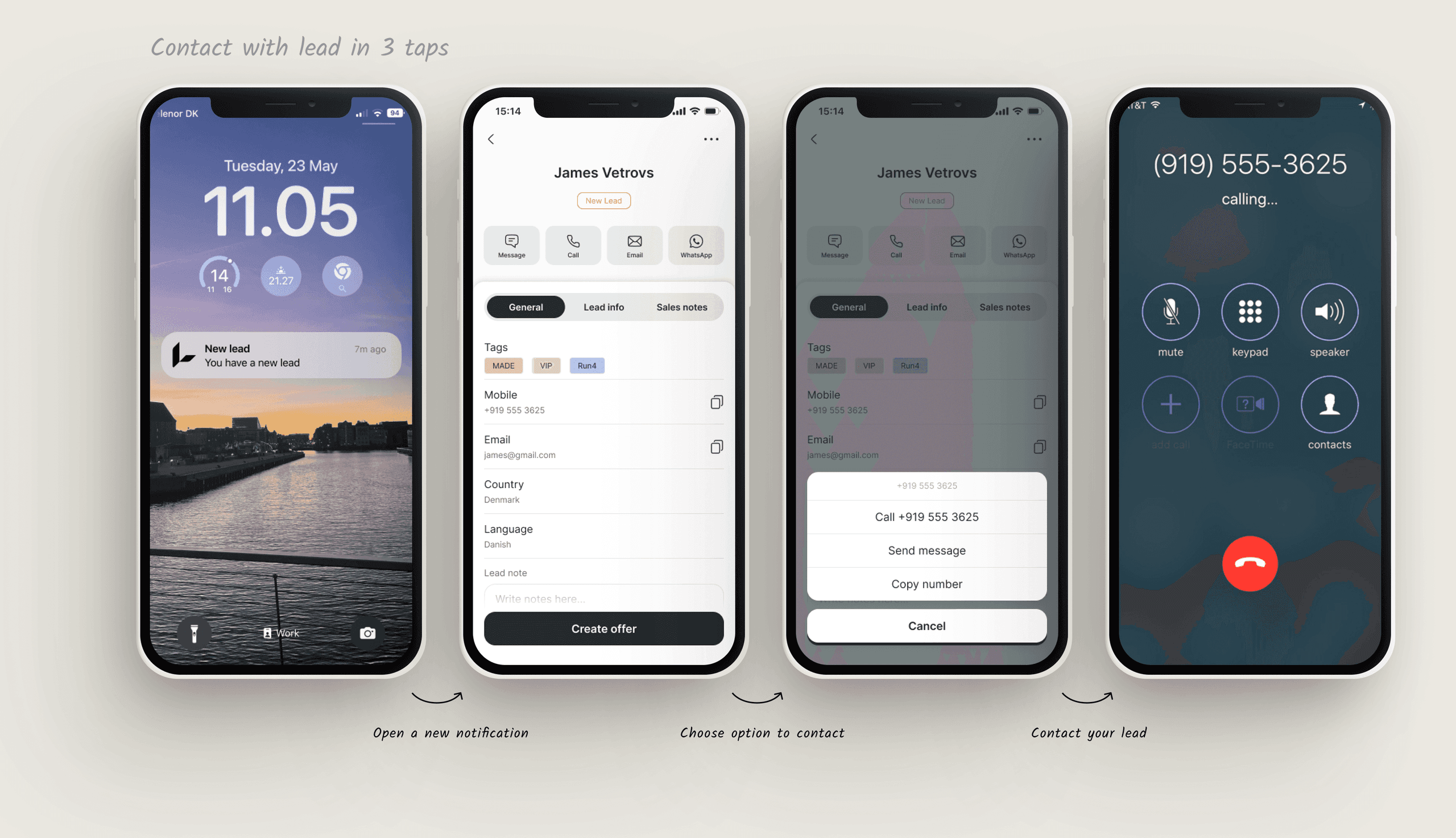
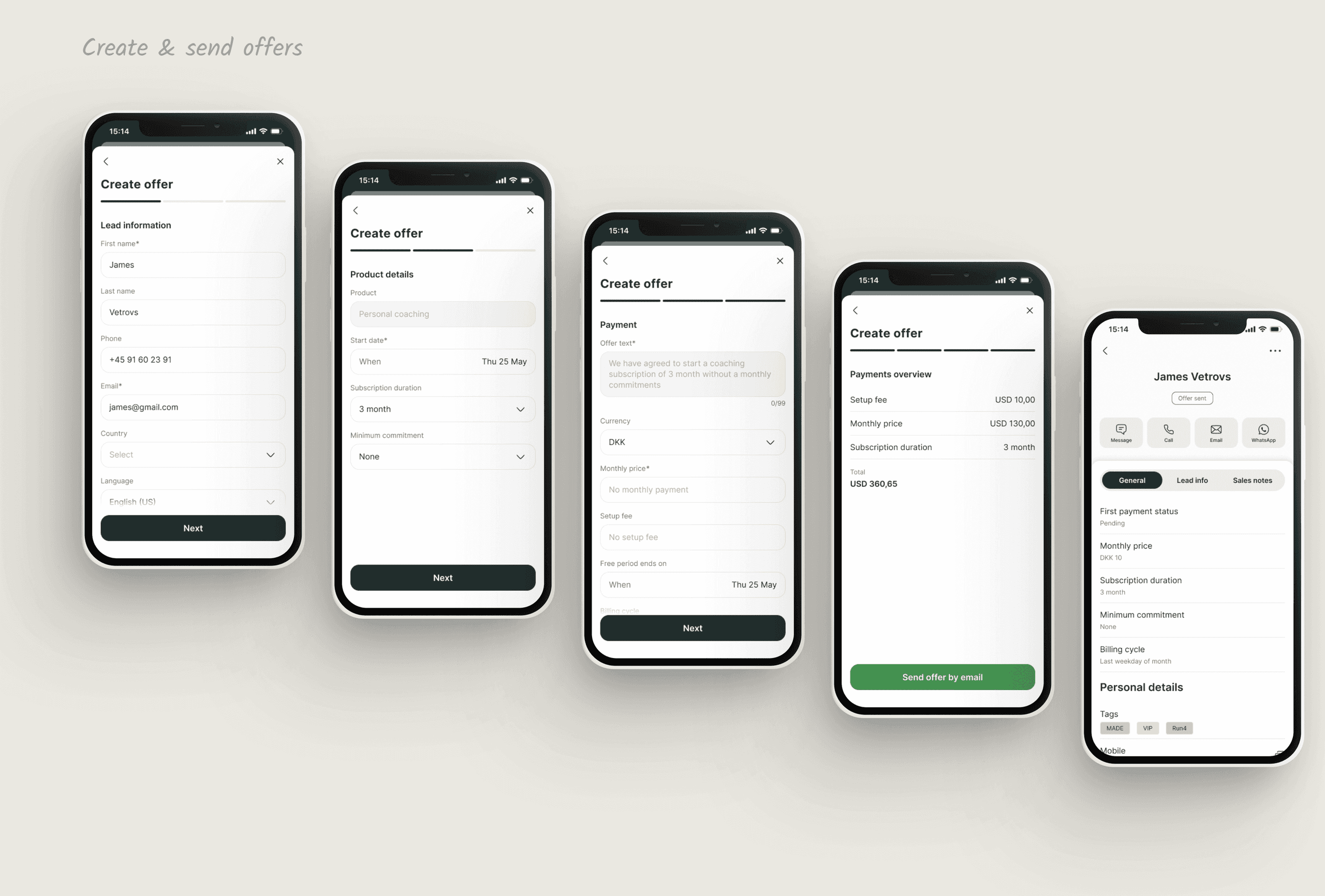
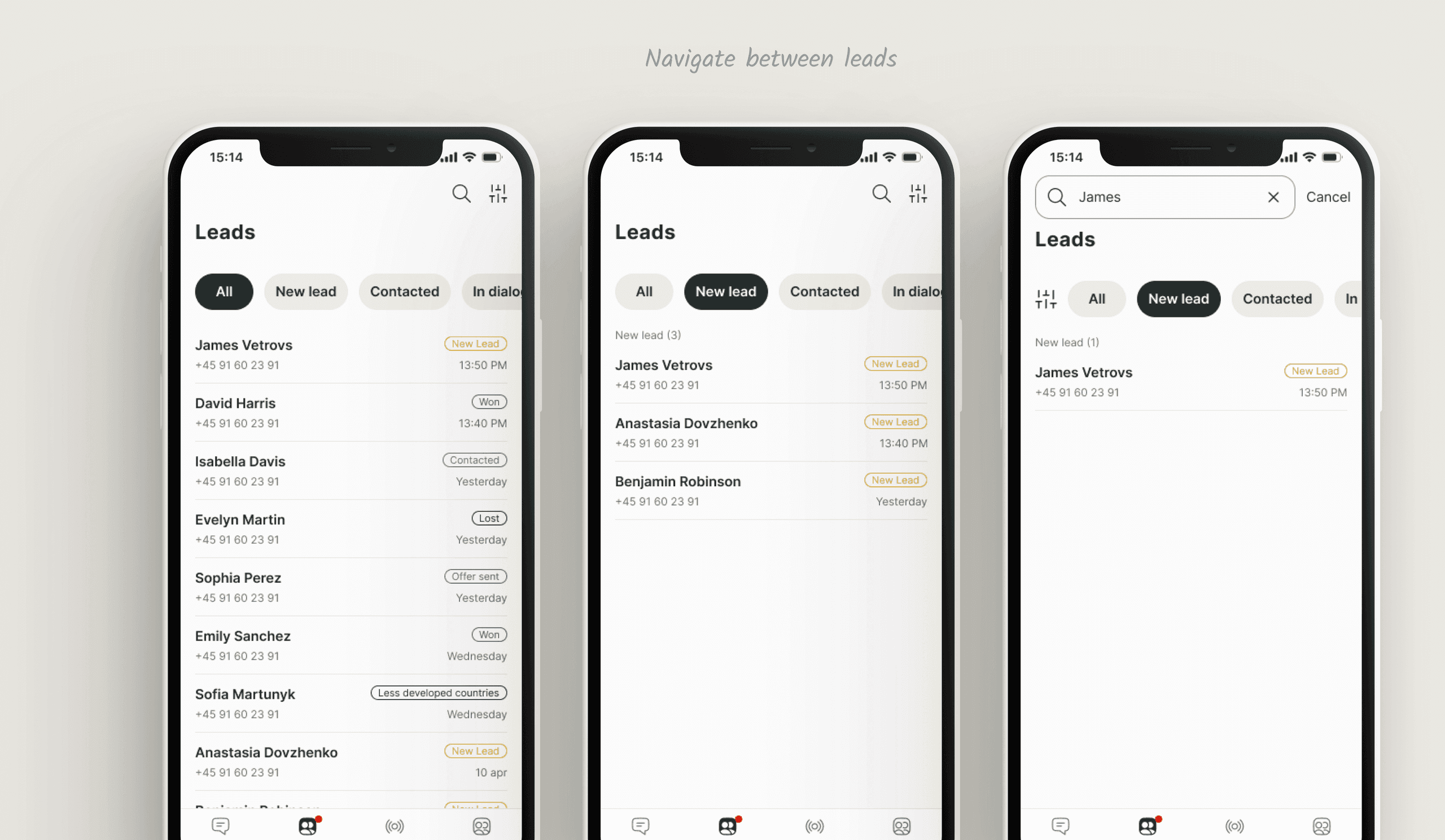
Key Process Flows
07Outcome
The mobile lead management feature was well-received by coaches, who reported significant improvements in their ability to respond to and convert new leads.
Feature enabled coaches to work from anywhere, improving their overall productivity and flexibility
Coaches could now respond to new leads more quickly on-the-go, leading to a 24% increase in lead conversion rates
Next case